What are the six LED indicators on a Cisco switch and what does each show?
SYST (System), RPS (Redundant Power Supply), STAT (Port Status), DUPLX (Duplex), SPEED, and PoE (Power over Ethernet) — each LED monitors a different aspect of the switch's operation.
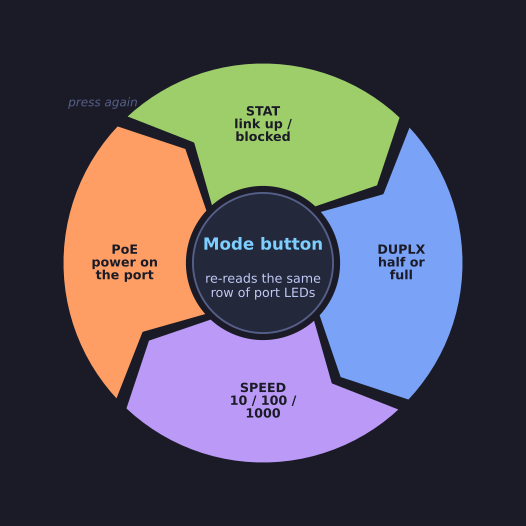
* The Mode button cycles the four per-port modes; SYST and RPS never change meaning. *
| LED | Purpose |
|---|---|
| SYST (System) | Overall system power and functioning |
| RPS (Redundant Power Supply) | Status of the redundant power supply |
| STAT (Port Status) | Port status mode (default when green) — per-port LEDs show link status |
| DUPLX (Duplex) | Port duplex mode — per-port LEDs show half/full duplex |
| SPEED | Port speed mode — per-port LEDs show 10/100/1000 Mbps |
| PoE | Power over Ethernet status (if supported) |
The panel is deliberately two-tier, and that is what the Mode button is for. SYST and RPS are single, switch-wide lights that never change meaning. STAT, DUPLX, SPEED and PoE are modes: pressing Mode cycles which one is selected, and the whole row of per-port LEDs is then re-read as that property for every port at once — one row of lights doing four different jobs.
The payoff is diagnosis without a session: standing at the rack you can see which ports are up, at what speed and in which duplex, with no console cable, no IP address and no CLI (Command-Line Interface) login. That makes the LEDs the fastest first check when someone reports "the link is dead".