In Splunk, what is the difference between host, source and sourcetype?
Host is the device an event came from, source is the specific file, directory, stream or port it was read from, and sourcetype is the format class of the data. Events with the same sourcetype can come from different sources.
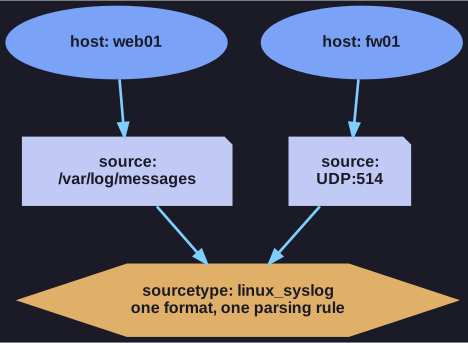
* Different machines and inputs, one format. *
| Default field | Answers | Example |
|---|---|---|
host |
Which machine produced it? | web01, DESKTOP-56DUI1B |
source |
Which input exactly? | /var/log/messages, UDP:514 |
sourcetype |
Which format is it? | linux_syslog, access_combined |
The example makes the distinction clear: events read from the file /var/log/messages and events received on a syslog port UDP:514 have different sources but the same sourcetype linux_syslog, because they share the same format. Sourcetype is what drives parsing: it tells Splunk how to break lines, where the timestamp is and which fields to extract.
These three fields exist on every event, so filtering on them first (host=web01 sourcetype=access_combined …) is both the most natural and the fastest way to start a search.
Go deeper:
 Splunk — About default fields (host, source, sourcetype) — the fields every event carries.