Quiz Entry - updated: 2026.09.24
How do you extract new fields from raw log text in Splunk at search time?
With rex and a regular expression containing named capture groups: each group (?<name>…) becomes a field.
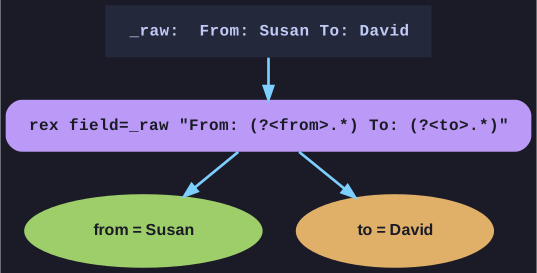
* Each named group becomes a field. *
... | rex field=_raw "From: (?<from>.*) To: (?<to>.*)"
For an event containing From: Susan To: David, this creates from=Susan and to=David, which you can then search, count or chart like any other field.
field=_rawsays which field to apply the regex to;_rawis the complete original event text.- Only the named groups become fields; everything else in the pattern just anchors the match.
- The related
regexcommand filters rather than extracts:… | regex _raw="(?<!\d)10\.\d{1,3}\.\d{1,3}\.\d{1,3}(?!\d)"keeps only events containing a 10.x.x.x address.
This is schema-on-read in action: data ingested as plain text becomes structured only when, and how, a search needs it.
Go deeper:
 Splunk — rex — syntax, sed mode and examples.
- Regular expression — Wikipedia — the pattern language behind rex, including capture groups.