Question
What do the terms "ingress" and "egress" mean in switching, and why does a switch never forward a frame out the ingress port?
Answer
Ingress = traffic entering the switch port; Egress = traffic leaving the switch port.
These are fundamental switching terms you'll see throughout Cisco documentation:
- Ingress — the interface where a frame arrives
- Egress — the interface where a frame is sent out
A switch never forwards a frame back out the port it arrived on. This is because the source device is already on that segment — sending the frame back would be pointless and could cause loops or duplicate traffic.
The switch uses its MAC (Media Access Control) address table (mapping destination MAC addresses to ports) to determine which egress port to use. If it doesn't know the destination, it floods the frame out all ports except the ingress port.
Go deeper:
 Host to Host through a Switch (PracticalNetworking) — the filtering behaviour that explains why a switch never sends a frame back out its ingress port.
Note saved — thanks!
Question
What is a CAM table, and how does a switch build it?
Answer
A CAM (Content Addressable Memory) table — also called the MAC (Media Access Control) address table — maps MAC addresses to switch ports, and is built dynamically by examining source addresses of incoming frames.
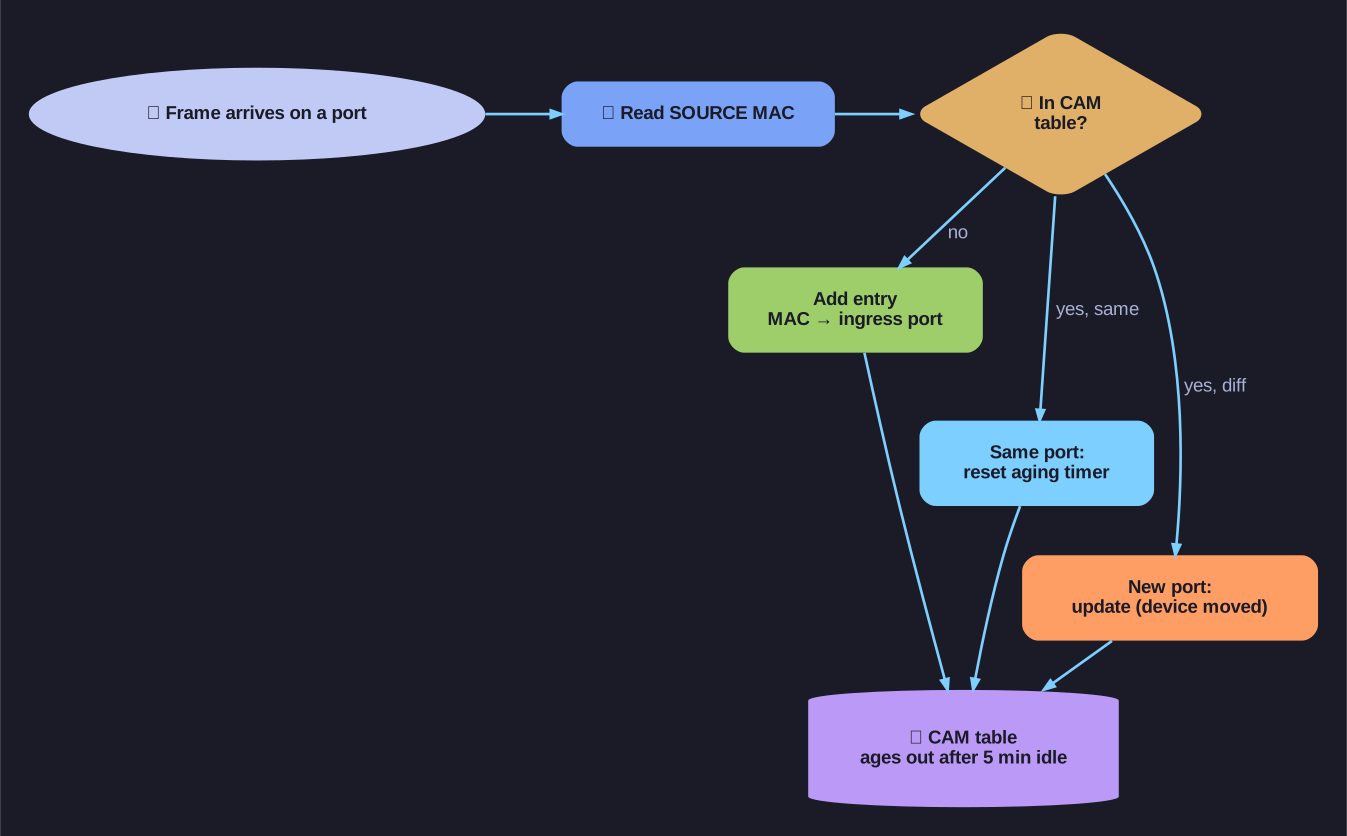
* Building the CAM table from source MACs. *
Unlike regular memory where you search by address to find data, a CAM table works in reverse: you search by content (the MAC address) and it returns the location (the port number). This is what makes switching so fast.
How it's built:
- A frame arrives on a port
- The switch reads the source MAC address
- It records the mapping: source MAC → ingress port
- Each entry has a 5-minute aging timer — if no frames from that MAC arrive within 5 minutes, the entry is removed
The table starts empty when the switch boots. Over time, as devices communicate, the switch "learns" the network topology organically.
Tip: Think of CAM as a reverse phone book — instead of looking up a name to find a number, you look up a MAC to find a port.
Go deeper:
- MAC address table (Wikipedia) — covers the CAM (Content Addressable Memory)/FIB and the source-MAC learning process that populates it.
Note saved — thanks!