Question
What is inter-VLAN routing, and what are the three methods to implement it?
Answer
Inter-VLAN routing is the process of forwarding network traffic from one VLAN (Virtual Local Area Network) to another, and the three methods are legacy (multi-interface), router-on-a-stick, and Layer 3 switching with SVIs (Switch Virtual Interfaces).
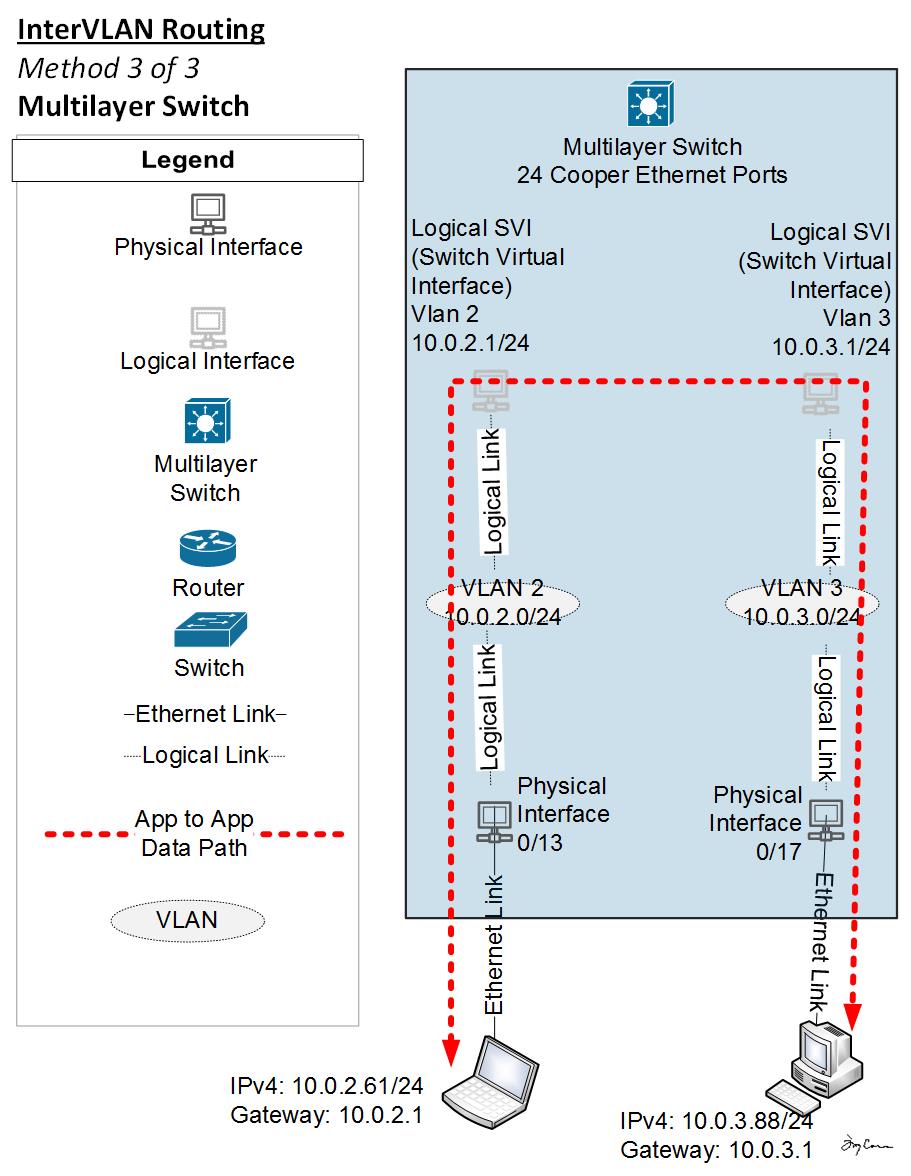
* A Layer 3 switch routing between VLANs. — Engineertcarman, CC BY-SA 4.0, via Wikimedia Commons. *
Because VLANs segment a network at Layer 2, hosts in different VLANs cannot communicate without a Layer 3 device to route between them — even if they're on the same physical switch.
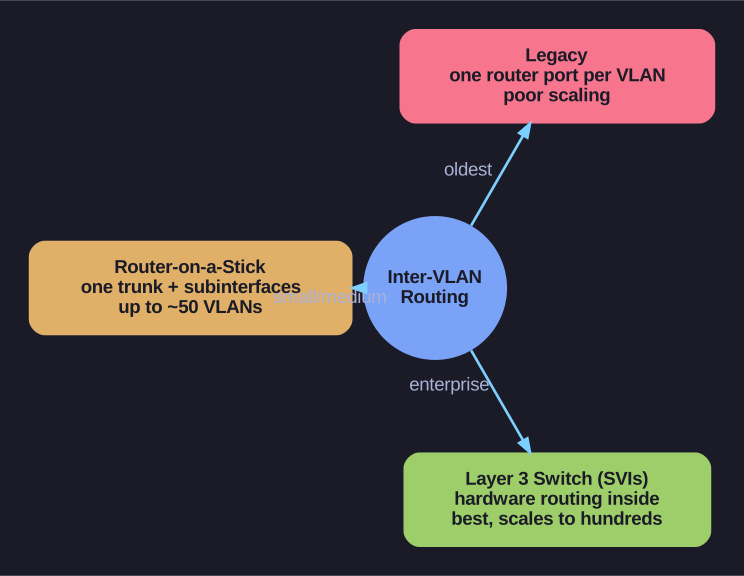
* The three methods at a glance — from least to most scalable. *
| Method | Description | Scalability |
|---|---|---|
| Legacy | One physical router interface per VLAN | Poor — limited by physical ports |
| Router-on-a-Stick | One physical link with subinterfaces | Medium — up to ~50 VLANs |
| Layer 3 Switch (SVIs) | Switch with built-in routing via virtual interfaces | Best — enterprise-grade |
Tip: Think of it as evolution — legacy was the first attempt, router-on-a-stick was the clever workaround, and Layer 3 switches are the modern solution.
Go deeper:
 Routing Between VLANs & Layer 3 Switches (PracticalNetworking) — walks all three methods (separate physical interfaces, router-on-a-stick, L3 switch/SVI) side by side with topology diagrams.
Note saved — thanks!
Question
How does legacy inter-VLAN routing work, and why is it no longer used?
Answer
Legacy inter-VLAN routing uses a separate physical router interface for each VLAN (Virtual Local Area Network), with each interface connected to a different switch port in the corresponding VLAN. It's obsolete because routers have limited physical interfaces.
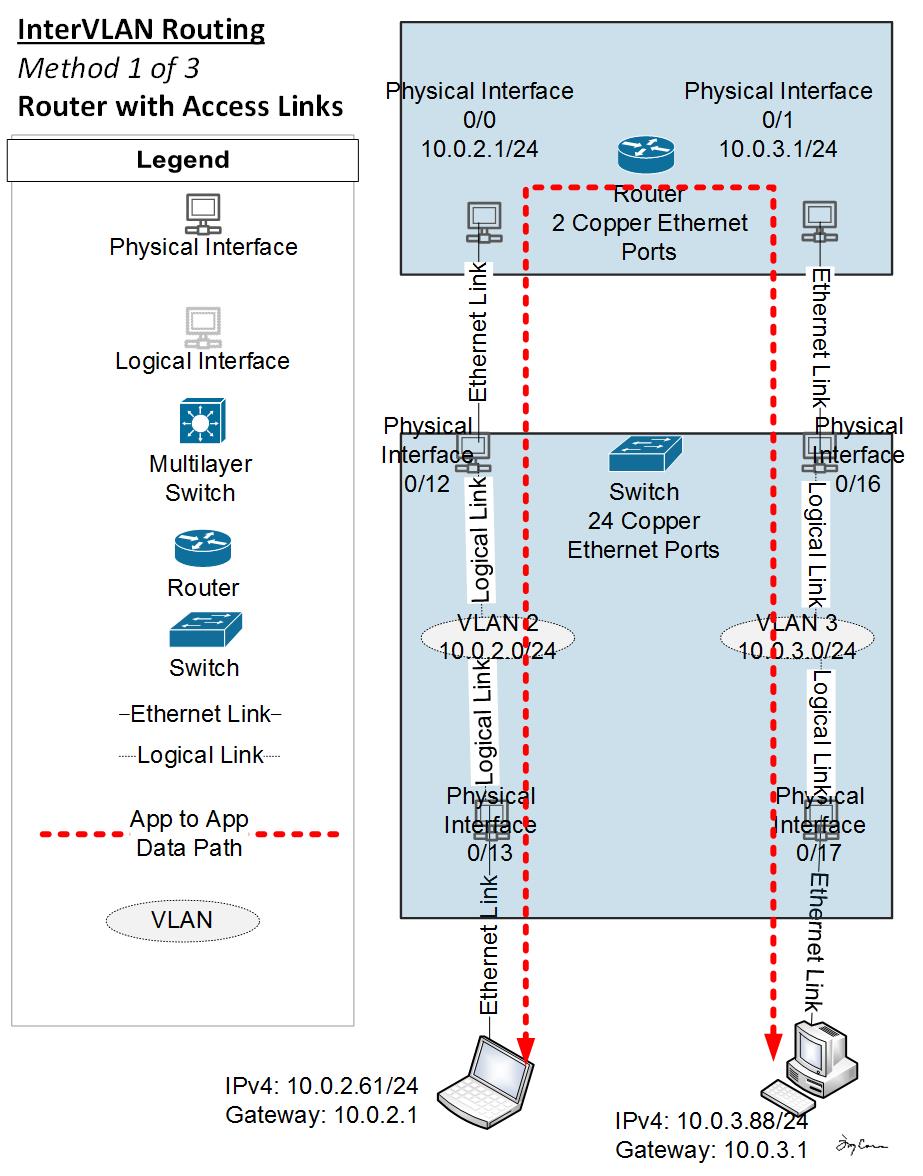
* Legacy routing: one router port per VLAN. — Engineertcarman, CC BY-SA 4.0, via Wikimedia Commons. *
How it works:
- Each router interface connects to a switch port assigned to a specific VLAN
- Each router interface is configured with an IP (Internet Protocol) address that serves as the default gateway for hosts in that VLAN
- When a host wants to reach another VLAN, it sends the packet to its default gateway (the router interface)
- The router routes the packet out the interface connected to the destination VLAN
Why it doesn't scale:
- A router with 4 Ethernet interfaces can only route between 4 VLANs
- Each connection wastes a switch port too
- Adding more VLANs means buying more routers or NICs (Network Interface Cards)
This method is no longer implemented in modern switched networks and is only covered for historical understanding.
Go deeper:
 Inter-VLAN Routing Operation (Cisco Press) — contrasts legacy one-interface-per-VLAN against router-on-a-stick and L3 switches, and why it doesn't scale.
Note saved — thanks!