Question
What is a Man-in-the-Middle (MitM) attack, and what is the attacker's general goal?
Answer
MitM means the attacker positions themselves between two communicating parties — relaying, eavesdropping on, and optionally modifying their traffic, while both sides believe they're talking directly to each other.
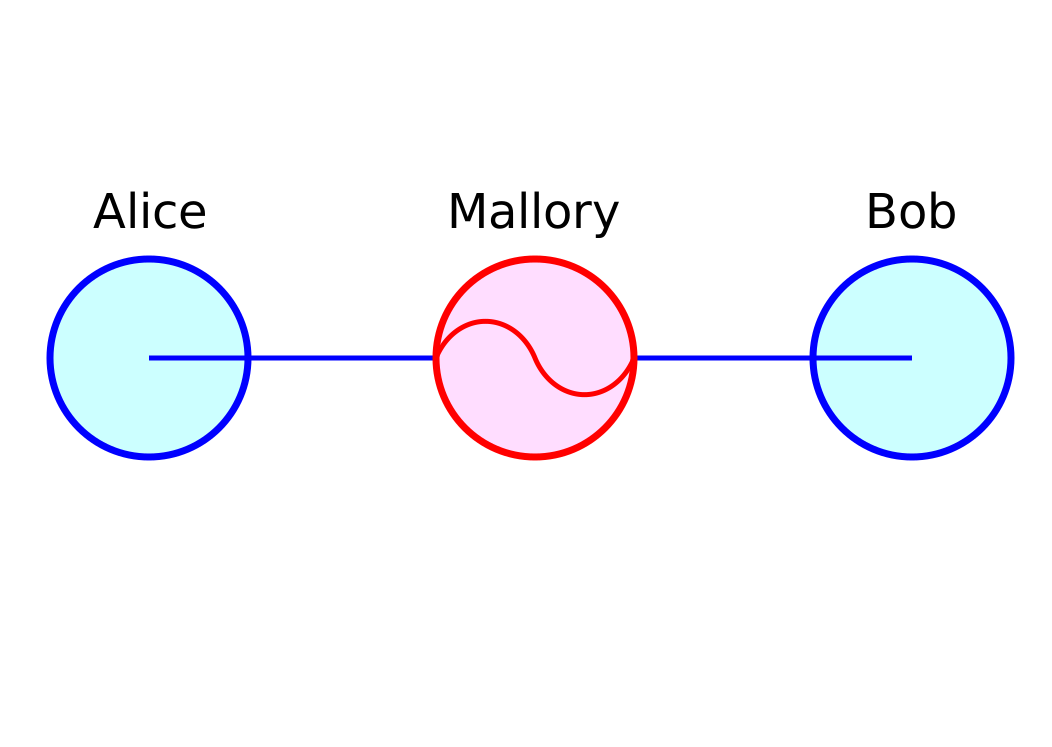
* Mallory sits between Alice and Bob, relaying their traffic. — Miraceti, CC BY-SA 3.0, via Wikimedia Commons. *
The structure:
Victim ←──── MitM ────→ Real server
       (sees attacker)  (sees attacker)

Both sides think they're talking to the other directly.
What the attacker can do:
| Capability | Example |
|---|---|
| Eavesdrop | Read passwords, cookies, messages |
| Modify | Inject malicious code into responses, alter banking transactions |
| Impersonate | Provide forged login pages to capture credentials |
| Strip security | Downgrade HTTPS to HTTP (SSL stripping) |
The attacker's #1 problem — being invisible:
A successful MitM must forward traffic transparently so neither side notices delays or errors. If you simply intercept and drop, the connection breaks → user notices → switches networks. The art is being transparent while sniffing.
MitM applies at every layer:
| Layer | Example attack |
|---|---|
| Physical / WiFi | Rogue access point ("evil twin") |
| Layer 2 / Ethernet | ARP poisoning (covered here) |
| Layer 3 / IP | BGP hijacking (large-scale) |
| Layer 7 / DNS | DNS spoofing (covered here) |
| Layer 7 / TLS | Certificate forgery, SSL strip |
The fundamental defense:
Mutual authentication — both sides verify each other cryptographically:
- TLS: server presents a certificate signed by a trusted CA → client verifies
- SSH: client checks server's known fingerprint
- Certificate pinning: app rejects all certs except a hardcoded one
- Mutual TLS (mTLS): both sides present certificates
Tip: "MitM" is older terminology. Modern alternatives: "Adversary-in-the-Middle (AitM)" or "On-Path Attacker." All describe the same thing.
Go deeper:
 Man-in-the-middle attack (Wikipedia) — catalogs the attack variants (HTTPS spoofing, SSL strip, ARP/DNS spoofing) and the real-world cases (DigiNotar, Comcast injection).

Note saved — thanks!
Question
How does mutual authentication defeat a MitM attack? Give examples from TLS and SSH.
Answer
Both endpoints cryptographically verify each other before exchanging data. The attacker can't impersonate either side without the corresponding private key, so the handshake fails.
TLS server authentication:
1. Client → "I want to talk to bank.com"
2. Bank's server presents: certificate signed by trusted CA
3. Client checks:
   - Is the certificate signed by a CA in my trust store?
   - Does the cert's domain match "bank.com"?
   - Is it within validity dates?
   - Is it not on a revocation list?
4. Pass all → trust + derive session key
   Fail any → big red warning, abort
If a MitM tries to impersonate bank.com, they need either:
- A valid cert for
bank.com(requires compromising a CA — extremely rare) - A self-signed cert (browser warning blocks this)
SSH host fingerprint pinning:
First connection:
The authenticity of host 'server.com' can't be established.
ED25519 key fingerprint is SHA256:Z4...8q.
Are you sure you want to continue connecting (yes/no)?
After accepting, the fingerprint is stored in ~/.ssh/known_hosts. Future connections compare — if the fingerprint differs, SSH refuses to connect:
WARNING: REMOTE HOST IDENTIFICATION HAS CHANGED!
IT IS POSSIBLE THAT SOMEONE IS DOING SOMETHING NASTY!
Certificate pinning (mobile apps):
Apps embed the expected cert/public key. Even if a CA is compromised, a forged cert won't match the pinned one → connection fails.
The catch — TOFU (Trust On First Use):
SSH has a chicken-and-egg problem: how do you know the first fingerprint is genuine? If a MitM is active when you first connect, you accept their fingerprint as truth. Some orgs distribute fingerprints out-of-band to avoid this.
Tip: When you see a browser cert warning ("not secure"), DON'T click through on banking/work/email sites — that's an active MitM signal. Switch networks (off public WiFi) and try again.
Note saved — thanks!