Why must DNS work before a Linux host can join an AD domain, and what does realm discover check?
Clients find domain controllers and Kerberos servers through DNS records of the domain, so the host must use the DC as its DNS server; realm discover looks up the domain in DNS and reports what kind of domain it is.
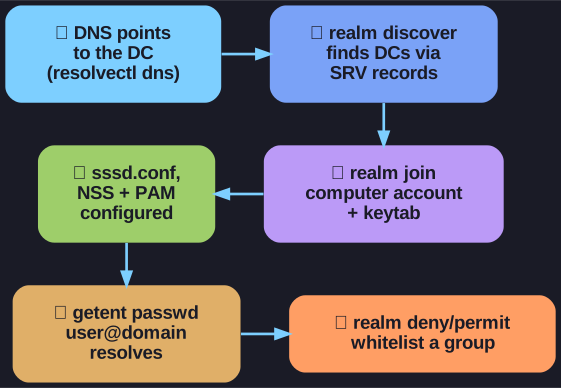
* From working DNS to a restricted, joined host in six steps. *
Active Directory publishes its services as DNS SRV records, for example _ldap._tcp.dc._msdcs.g001.ckteck.com and _kerberos._tcp.g001.ckteck.com. A client asks DNS "where are the domain controllers for this domain?" If the host asks a public DNS server, the answer is empty and the join fails. That is why the first check, with resolvectl dns, is that the DNS server is the DC.
realm -v discover g001.ckteck.com mainly tests that DNS resolution: it finds the DCs via SRV records, then asks them about the domain. The result shows:
- type: kerberos, the kind of realm,
- realm-name and domain-name,
- server-software: active-directory and client-software: sssd,
- the packages needed and whether the host is already configured.
FQDN (Fully Qualified Domain Name) is the complete host name including all domain levels, such as ws-001.islab.ls.eee.intern, as opposed to only ws-001.
Go deeper:
 Microsoft Learn: Verify that SRV DNS records have been created — the records clients use to find domain controllers.
- Wikipedia: SRV record — how SRV records name a service, port and host.
- Debian manpage: realm(8) — discover, join, permit and deny with all options.