What does the Restricted Groups policy do, and what is Administrators in this context?
Restricted Groups lets a GPO define the exact membership of a local group on every targeted computer; Administrators here is the built-in local group of each machine, not a domain group.
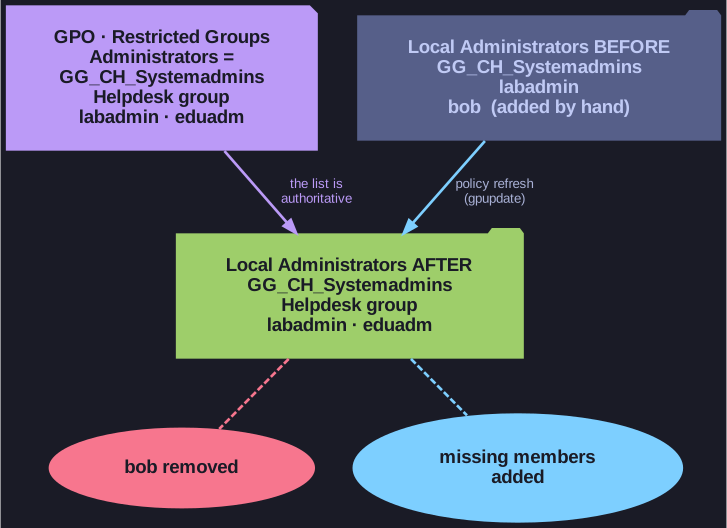
* On refresh the local group is set to exactly the GPO's list. *
Each Windows computer has a built-in local group Administrators whose members have full control of that machine. With Computer Configuration > Policies > Windows Settings > Security Settings > Restricted Groups you add that group to a GPO and list its members, for example GG_CH_Systemadmins, the helpdesk group and the local accounts labadmin and eduadm.
The important behaviour: the "Members of this group" list is authoritative. On each policy refresh the local group is set to exactly that list; anyone added by hand who is not on it is removed (the one exception is the built-in Administrator account, which is never taken out of Administrators). That is useful against admin-rights creep, but it also means that anything you forget to list (like a local break-glass account) loses its rights.
Local accounts are entered without a domain prefix (labadmin, not G001\labadmin), otherwise the policy looks for a domain account that does not exist.
Go deeper:
 Microsoft Learn: Group Policy restricted groups — the "Members" vs. "Member Of" behaviour, and the one exception (the built-in Administrator is never removed).