Quiz Entry - updated: 2026.10.01
Prometheus has no .deb package from upstream. What are the steps to install it from the release binaries on Linux?
Create a system user, create the config and data directories, download and unpack the tarball, move the binaries and config into place, fix ownership, then write and start a systemd unit.
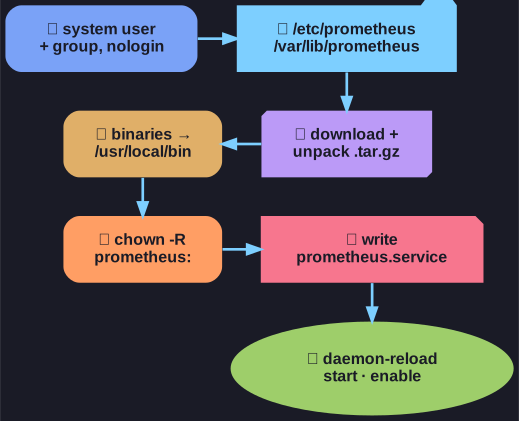
* Seven steps from tarball to running service. *
- User and group:
groupadd --system prometheus,useradd -s /sbin/nologin --system -g prometheus prometheus. - Directories:
/var/lib/prometheusfor the TSDB data,/etc/prometheus(withrules,rules.d,files_sd) for configuration. - Download and unpack the
linux-amd64.tar.gzfrom the GitHub releases. - Move files: the binaries
prometheusandpromtoolto/usr/local/bin/,prometheus.ymland the console libraries to/etc/prometheus/. - Permissions:
chown -R prometheus:prometheuson the config and data directories. - Service file:
/etc/systemd/system/prometheus.service. - Start:
systemctl daemon-reload, thenstartandenable.
promtool is the companion tool. Besides --version it can validate configuration before a restart (promtool check config /etc/prometheus/prometheus.yml). The Node Exporter follows the same seven steps, or comes from the distribution's package manager (apt install prometheus-node-exporter), which is easier but ships an older version.
Go deeper:
 Prometheus — Installation — binaries, Docker and package options.
 Prometheus — promtool — check config, check rules, test rules and more.