Quiz Entry - updated: 2026.10.13
How does a Linux client pick up sudo rules from Active Directory?
Install libsss-sudo, make sure /etc/nsswitch.conf has sudoers: files sss, and let SSSD's sudo responder fetch and cache the rules.
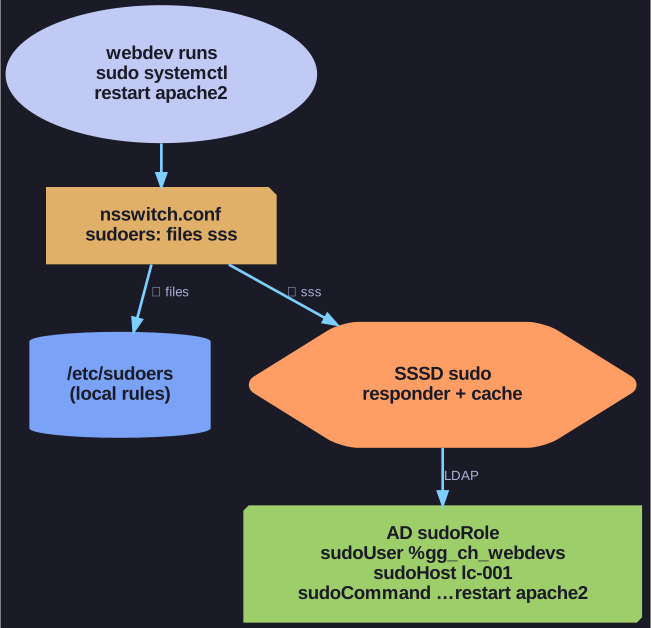
* sudo checks local rules first, then the AD sudoRole objects that SSSD fetches and caches. *
libsss-sudoletssudoask SSSD for rules.sudoers: files sssin/etc/nsswitch.confmakessudoread the local/etc/sudoersfirst and then the rules SSSD gets from AD. Both apply.- The SSSD sudo service fetches and caches the rules. On systemd hosts it is started on demand through
sssd-sudo.socket, otherwisesudois added toservicesinsssd.conf. The cache meanssudostill works when AD is unreachable. - Rules are refreshed periodically.
sss_cache -E(or--sudo-rules) clears the cache so a new rule takes effect at once.
To check: log in as a web developer and run sudo -l. It lists exactly the commands this user may run with sudo on this host.
Go deeper:
 Debian manpage: sssd-sudo(5) — how SSSD fetches, caches and refreshes sudo rules.