How do share permissions and NTFS permissions interact, and why is the share often set to Everyone: Full Control?
Access over the network must pass both layers, and the more restrictive one wins. So a common practice is to keep the share wide open and do all the fine-grained control in NTFS.
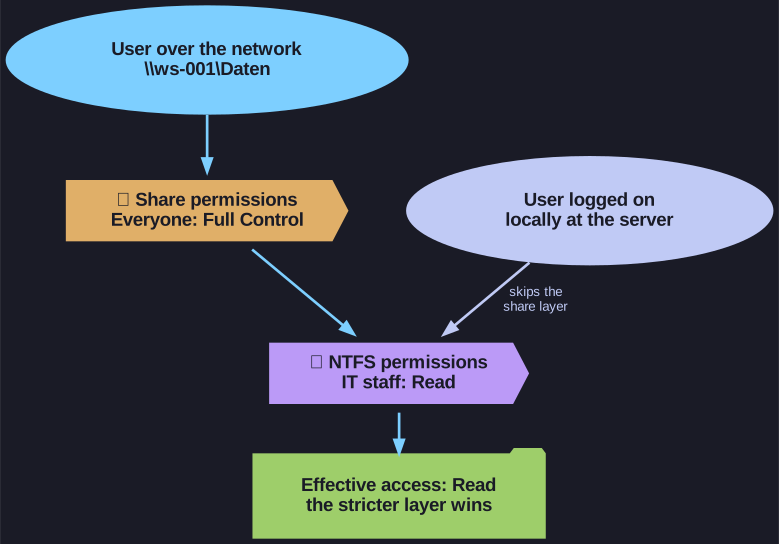
* Over the network both layers apply; locally only NTFS. *
A folder shared over the network (SMB) has two independent permission sets:
- Share permissions (Sharing tab): only checked when the folder is accessed over the network, and only coarse (Read, Change, Full Control).
- NTFS permissions (Security tab): checked for every access, local or remote, and fine-grained (per subfolder, per file, many special rights).
The effective network access is the intersection: if the share allows Full Control but NTFS allows Read, the user can only read, and vice versa. Maintaining restrictions in two places invites mistakes, so the usual approach is to open the share up and let NTFS decide. That way there is one place to look.
The share is reached by its UNC path \\<server>\<share>, for example \\ws-001\Daten.
Go deeper:
 Microsoft Learn: Share and NTFS permissions — worked examples of the most-restrictive rule.
- Wikipedia: UNC paths — the
\\server\sharenaming scheme.